
Name-Based Young County Case Searches
Know the court level first, then search by name. The re:SearchTX statewide portal offers cases and hearings tabs, and the County Clerk points to a separate TexasOnlineRecords route covering criminal, civil, and probate records. Neither one is a complete Young County docket search. The county calendar lacks a party-name field, and the lower courts keep citation records of their own.
Enter a full legal name and study the results before trusting any match. Court, case type, filing date, and status all matter. A common name can return several cases at once. Wildcards can widen a re:SearchTX search when spelling is shaky. Still, the Young County clerk with responsibility for the case is the final check on whether you have the right person.
- Read the notice or prior order to identify the court and case type.
- Choose re:SearchTX, the County Clerk route, or the named lower court.
- Enter the surname first, then add the given name or date filters.
- Open likely results and compare the court, filing date, and case style.
- Ask the proper clerk to confirm the match and any current setting.
| Field | Type | Required | Use |
|---|---|---|---|
| Search tab | Choice | Yes | Cases, hearings, or documents in re:SearchTX |
| Party name | Text | Conditional | Wildcard search is supported |
| Case number | Text | No | Best exact-match key when known |
| County or court | Filter | No | Narrows statewide results to Young County |
| Date range | Date | No | Limits filings or hearings |
Young County Search Layers
Young County runs on layers, not copies. The County Court Dockets page lists arraignment, criminal, probate, and misdemeanor calendar items. A County Clerk login route serves as an online source for criminal, civil, and probate records, per the county. The Official Records Search offers grantor, grantee, document type, document number, date, index, and OCR controls, though its default settings mean coverage questions should go to the County Clerk.
District civil, family, felony, and juvenile cases start with the District Clerk. County misdemeanors and probate go through the County Clerk or the County Court administrator. JP and municipal cases start at the office named on the citation. Follow that routing. A blank screen in one Young County system is never proof that no case exists.
Young County Case Number Searches
One cause or case number beats every other search key. It points to a single clerk record. Young County publishes no countywide number pattern on its public pages, so invent a format never. Type the number exactly as printed. Keep letters, zeros, punctuation, precinct labels, and year elements intact. The safe illustration is [cause number as printed], not some claimed local code.
Where do you find the number? Copy it from the citation, a file-stamped pleading, an e-filing receipt, a signed order, or a prior notice. If a portal rejects it, adjust only the formatting the official interface allows. Never strip a prefix on a hunch. The clerk can confirm where a number belongs. It might be the 90th Judicial District Court, Young County Court, a JP precinct, or a municipal court.
re:SearchTX for Young County Cases
The official re:SearchTX guide covers searches for cases, hearings, and documents, along with wildcards, sorting, case detail, alerts, and exports. Think of it as the broad Texas discovery layer for a case that may sit outside a single Young County index. Results can show parties, attorneys, judicial officers, events, and hearing information. Filed documents may require an account or payment, and criminal coverage stays incomplete. The official statewide re:SearchTX interface is where that statewide docket search begins.
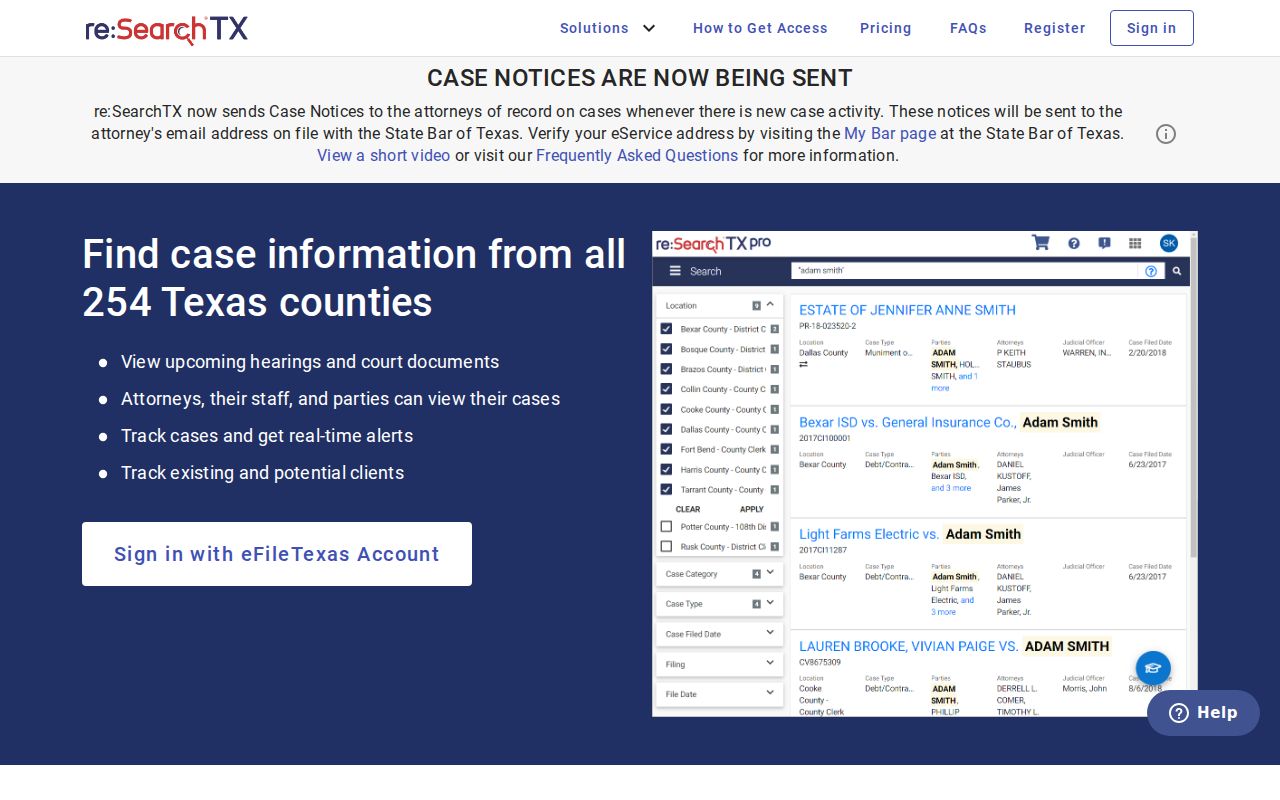
Note: This screen is only a statewide search layer. It never replaces the Young County clerk’s official file or certification.
Young County Case Search Results Explained
A result row is only a lead. The full case file lives elsewhere, so treat what you see here as the start of a Young County docket search, not the end of it. Read the header and the event history side by side, because each one explains the other. Status labels like active, pending, disposed, inactive, or reactivated describe the state of the record. They do not say who is winning the dispute. A hearing line can show a setting on the calendar. It says nothing about the motion, the evidence, or any signed ruling behind it.
| Case number | The unique clerk identifier; preserve its exact form. |
|---|---|
| Case style | The short caption naming parties or the State and accused. |
| Court and type | District, county, JP, or municipal level and case category. |
| Filed date | The date the initiating paper entered the clerk system. |
| Status | Pending, disposed, inactive, or another system label. |
| Events | Filings, service, motions, settings, orders, and disposition entries. |
| Documents | Images may be separate, restricted, or available for a charge. |
Young County Filing Is Not Search
Filing and searching are two different jobs. eFileTexas delivers documents to participating Texas courts. That is where its role ends. An accepted filing does not become an instant free public image. A filing account will not hold every Young County case. Clerk acceptance, the docket entry, and public access each follow their own separate steps. The Young County Official Records Search opens with quick and advanced index controls on its official page.
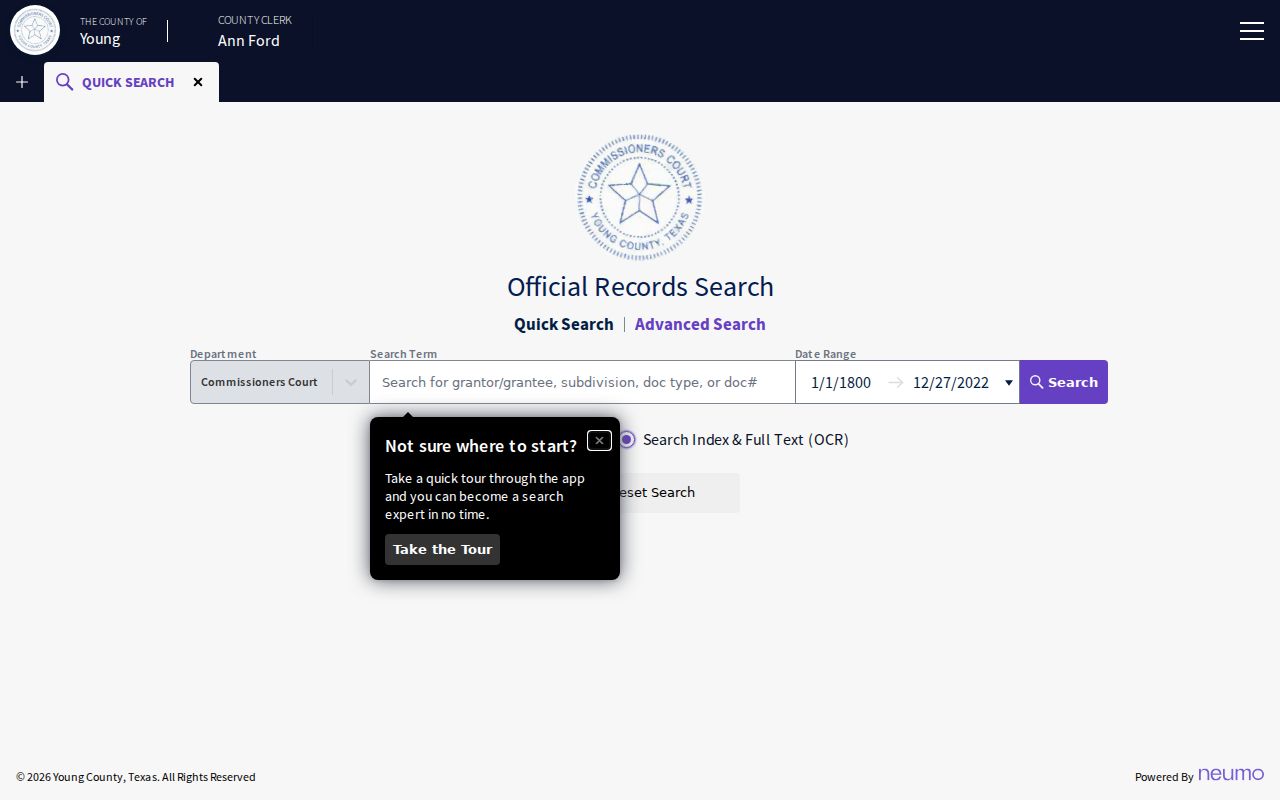
This clerk-linked page offers index and OCR options for digging through records. Before relying on it as a case-docket source for Young County, confirm what its coverage actually includes.
Two Young County Search Routes
Pick your route by what you need. The county route works best when you already know the court and the office holding the file. re:SearchTX earns its keep for statewide or cross-county docket searches. Found your match? Go back to the Young County clerk for the full register, the signed document, or a certified copy. That final step matters most when a result shows metadata but no image.
| Point | Young County Route | re:SearchTX |
|---|---|---|
| Scope | Specific clerk, calendar, or lower court | Participating Texas courts statewide |
| Best use | Known local court or citation | Broad cases and hearings discovery |
| Depth | Varies by clerk and vendor | Metadata and some documents |
| Final check | Holding clerk or court | Holding clerk or court |
Once a docket search turns up a match, copies come next. The Young County court case records process walks through the split clerk counters and the local fees.
When Young County Results Are Blank
A blank Young County docket result rarely means nothing exists. Often the wrong clerk was searched, or a new filing has not synced yet. A misspelled name will also hide a case. Restricted cases return nothing at all. Before giving up, recheck the notice. Then try the exact cause number, since that string cuts through name mismatches. If the online layer stays silent, work the responsible office by phone, email, fax, mail, or an in-person visit. Follow the proper clerk route. Older court records pose a different problem. They may sit outside any modern web index entirely. The Texas State Library and Archives Commission holds Young County local-record microfilm. It warns that some years are missing, repeated, or incomplete. Ask the clerk first whether an archive or microfilm route fits your case.
Which Young County Cases Stay Restricted
Not every Young County court record is open. Texas law keeps juvenile and child-protection matters confidential. Civil files can be sealed under Texas Rule of Civil Procedure 76a. Protected identifiers may be redacted before you ever see the document. An item you cannot pull up is not proof the filing never existed. It simply means a statute, a rule, or a court order limits public access. That limit applies to that case file. Ask the clerk which category applies and what lawful request process exists. Never try to work around a restriction. One more limit matters here. Under Texas Government Code §552.0035, the Texas Public Information Act is not a universal substitute for reaching a judiciary case file.
Access point: Case metadata, filed documents, and certified copies can have different access rules. Verify the current record with its Young County custodian.
Young County Clerk Search Split
Young County splits its court records between two offices. Knowing the split is the core of a reliable Young County docket search. The District Clerk holds district civil, family, felony, and juvenile files. You will find that office in Room 201 of the Young County Courthouse. The County Clerk, in Room 104, keeps County Court misdemeanor, probate, and identified county-level civil records. For pending county settings, the County Court administrator can often confirm dates. JP1, JP3, Graham Municipal Court, Olney Municipal Court, and any Newcastle citation route each remain separate offices entirely. When you contact an office, come prepared. Bring the court name, the cause number, party names, the case type, and a date range. Say what you actually want. A docket sheet, a filed paper, a judgment, or a certified copy. Those details let staff search the right record family. It beats repeating a broad name search across every filing.
Note: Call before visiting if a large file, restricted record, or certified copy may need staff preparation.